

A thesis usually contains a lot of figures so that it is very helpful to add the caption and the numbering of the figures automatically in Word. Therewith an automatic table of figures can be created.
To insert a caption of the figure click on the figure and select in the section References the button “Insert Caption”
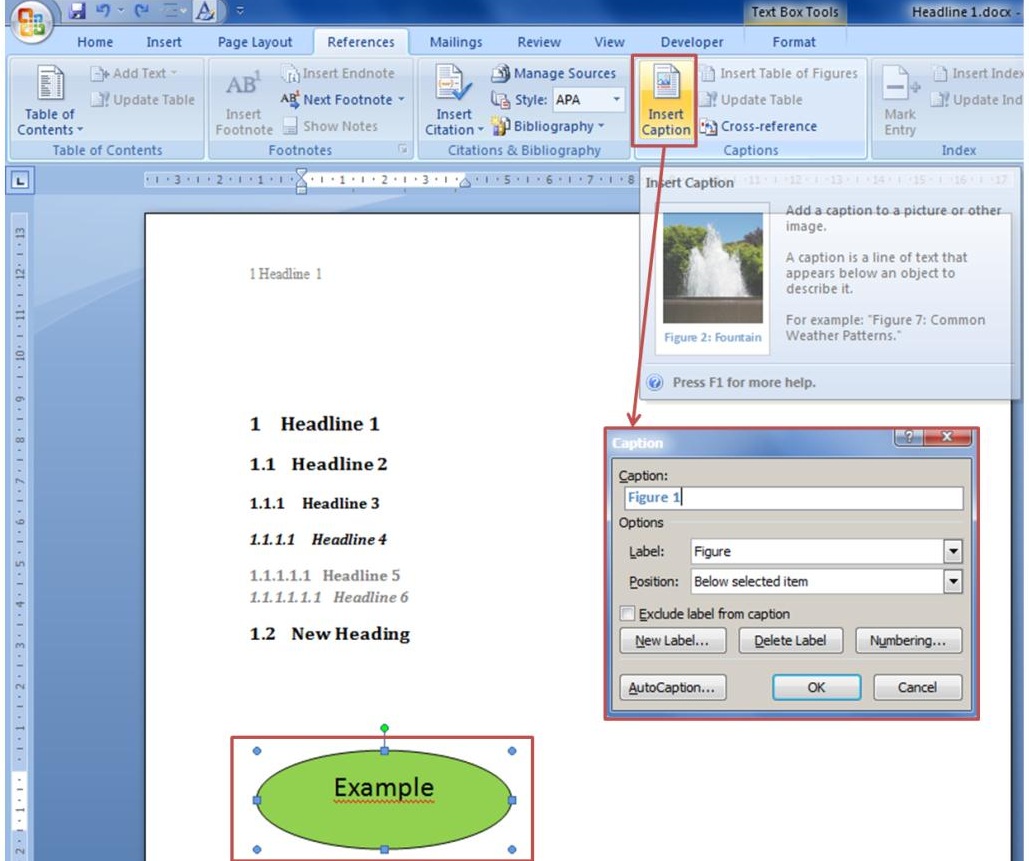
Insert a caption
Afterwards you can add the caption and if necessary you also can define a new lable. Finally an automatic table of figures can be created: In the section References click on the button “Insert table of figures”. In the new appearing window the formatting of the table of figures can be changed.
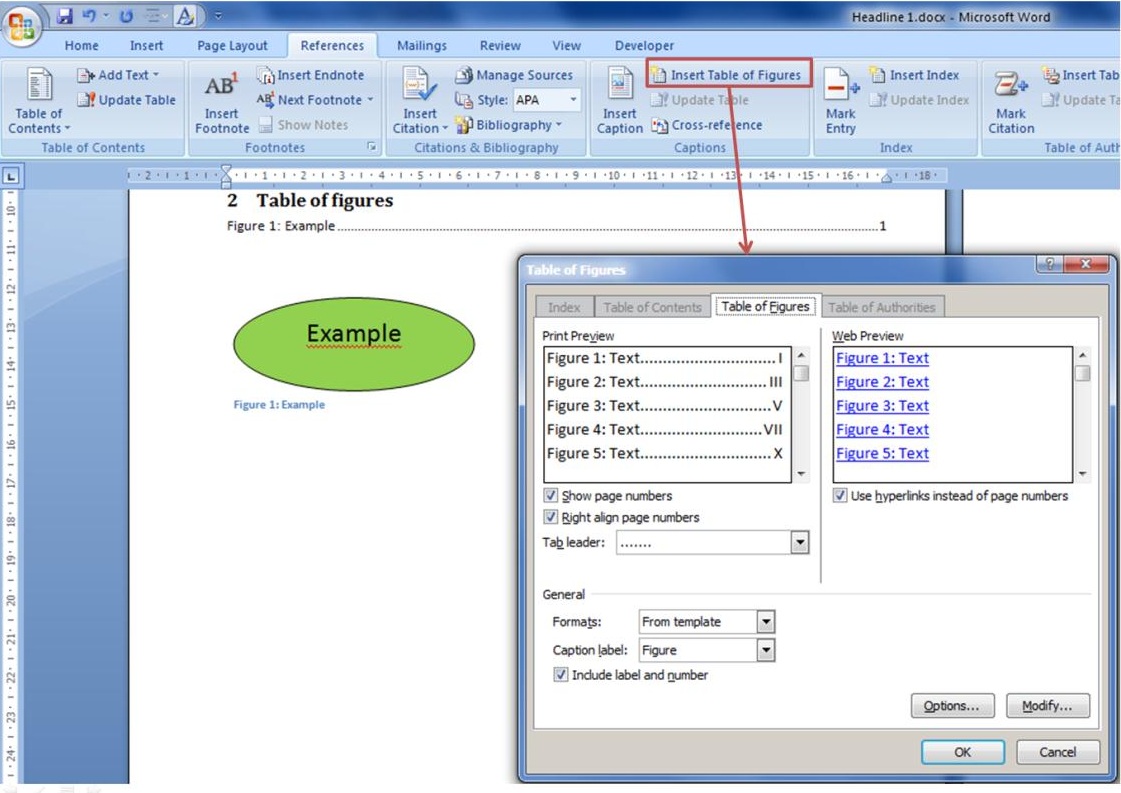
Insert table of figures
To update the table of figures select one line in the table and make a right-click. Select “Update field” and you can update either the page numbers or the entire table.
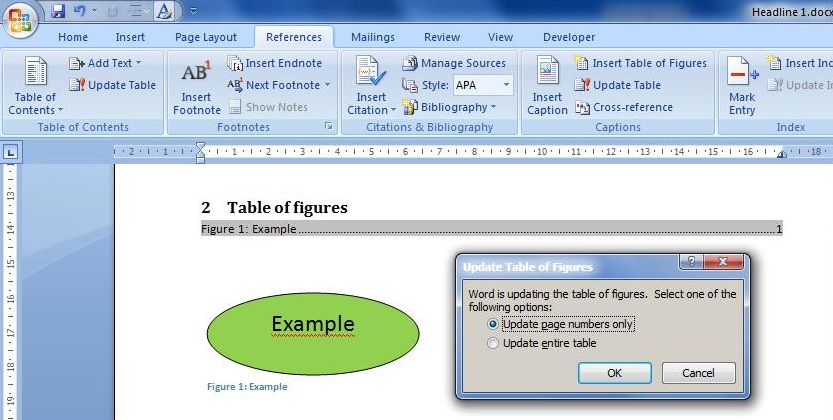
Update tables
In the next chapter you will find a free Word 2010 style sheet for your thesis:
6. Free download of a Word 2010 style sheet for Bachelor thesis, Master’s thesis, dissertation
Further chapters:
[sam_zone id=”2″ codes=”true”]
1. Divide your thesis into sections – set a section break
2. Create an individual style sheet in Word to get an automatic table of contents
3. Insert the header with a StyleRef formula to display heading and chapter number automatically
4. Inserting the page number in the footer – different numbering in the different break sections







Recent Comments