Posts Tagged ‘ ICS ’

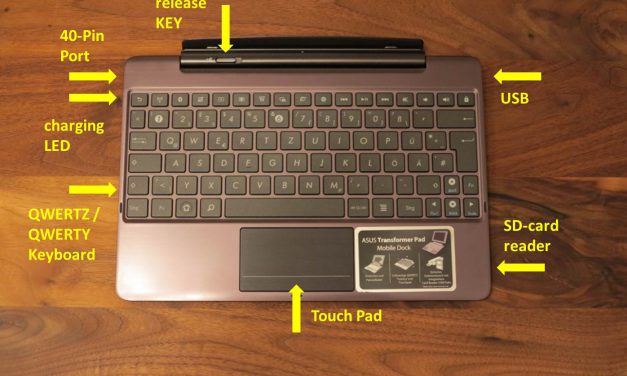
Asus Transformer Infinity TF700T Mobile Dock – Keydock

Jul 13th, 2012 | By |

I bought the Asus Transformer Infinity TF700T with the Keydock / Mobile Dock. The Mobile Dock transforms the TF700T Tablet into a netbook. The Keydock offers more connectivity options including a USB slot or SD card reader. I like the keyboard and the Multitouchpad. The Keydock turns the tablet into a netbook running with Android

[continue reading...]


Test Asus Transformer Infinity TF700T Tablet

Jul 11th, 2012 | By |
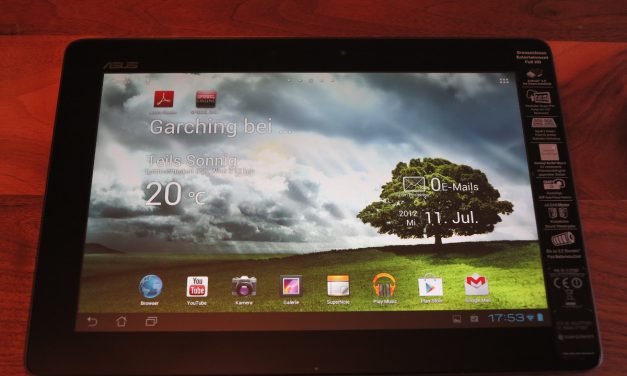
Asus Transformer Infinity TF700T Tablet

Today I got my Asus Transformer Infinity TF700T FULL HD Tablet. In this post I write about my experincies with the Asus Transformer Infinity TF700T. Since last year I am searching for an Android Tablet with FULL HD resolution and a very good performance. Now the Asus TF700T is available and I ordered one for

[continue reading...]


Samsung Galaxy S2 Upgrade to Android 4 – Ice Cream Sandwich

Mar 1st, 2012 | By |
Samsung Galaxy S2 Ice Cream Sandwich - About phone

I really like my Samsung Galaxy S2 anyhow I also wanted to have the new Android 4.0 Ice Cream Sandwich on my Smartphone to see what new features come with it. The “GINGERBREAD 2.3.4″ is very old and and I do not want to wait any longer until the update is available about Samsung KIES. I

[continue reading...]


How to root Samsung Galaxy S2 i9100

Mar 1st, 2012 | By |
Android Ice Cream Sandwich - home screen

I will describe how you get your SGS2 into the root mode. The root mode is the precondition to update you SGS2 to Android 4.0 without using KIES. Anyhow before you start getting your smartphone into root mode please backup all your data. This is easily possible within Samsung KIES. Preconditions: These are the preconditions

[continue reading...]


How To Take Screenshots in Ice Cream Sandwich Android 4.0.x

Feb 26th, 2012 | By |
Samsung Galaxy S2 - ICS 403 XXLPB

I have installed Android 4.0.x or Ice Cream Sandwich (ICS) “WanamLite.XXLPB.Deodexed.Stock.NO-WIPE” . This ROM has finally the screenshot function included.  Okay it is easy and a little bit different to the old method. But i will explain two methods as far as I know. 1. How to take a Screenshot: Simply press the Power button and

[continue reading...]