Samsung Galaxy S3 – move menu icon
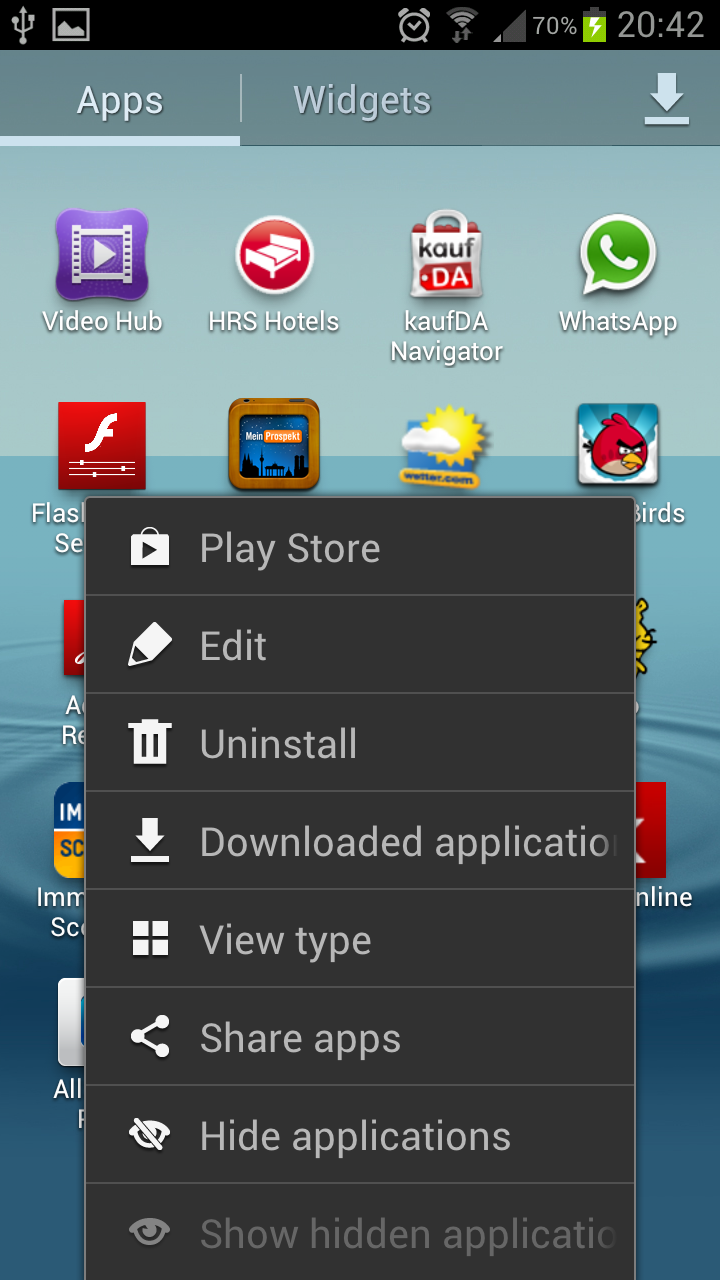
Jun 3rd, 2012 | no responses | inka | Google+ | Category: Samsung Galaxy S3, SmartphoneTo move the menu icon of your Samsung Galaxy S3 click the option button on the left of the home button and choose “edit”:
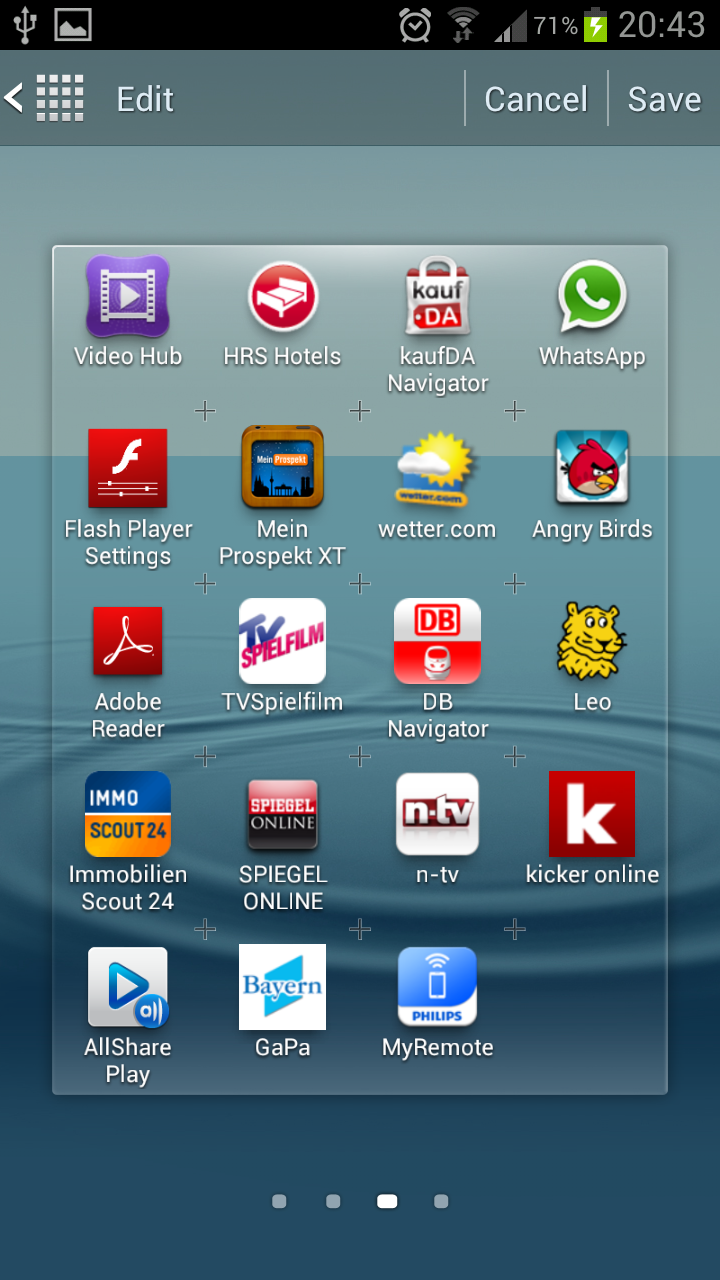
Afterwards you can rearrange per drag and drop the menu icons on your Galaxy S3:
More from this category Samsung Galaxy S3 @en
- Samsung Galaxy S3 hide pictures, covers, videos in Gallery App
- Samsung Galaxy S3 – Jelly Bean update Android 4.1.1
- Transfer and sync music, photos and videos to Galaxy S3
- Samsung Galaxy S3 Kies sync with Outlook
- Sync Samsung Galaxy S3 with Outlook using MyPhoneExplorer
- Samsung Galaxy S3 – setup portable Wifi Hotspot and change password
- Samsung Galaxy S3 – deactivate auto update apps
- Samsung Galaxy S3 sync S Planner with Outlook To dos
- Samsung Galaxy S3 – Samsung Kies sync multiple Outlook calendars
- Samsung Galaxy S3 – Voice recorder 3GA file to mp3
More from this category Smartphone @en
- Samsung Galaxy Note 2 – HDTV Video Out
- Samsung Multimedia Smart Dock – EDD-S20JWEGSTA
- Samsung Galaxy Note 2 – paper cup docking station
- iPhone and Samsung Galaxy synchronization – Easy Phone Sync
- Samsung Galaxy Note 2 – setup portable Wifi Hotspot and change password
- Samsung Galaxy S3 hide pictures, covers, videos in Gallery App
- Samsung Galaxy S3 – Jelly Bean update Android 4.1.1
- Sync outlook contacts with Samsung Galaxy Note 2 using Samsung Kies
- Transfer and sync music, photos and videos to Galaxy S3
- Samsung Galaxy Note 2 – S Note with S Pan

RSS Feed