Samsung Galaxy S3 – list contacts by last name
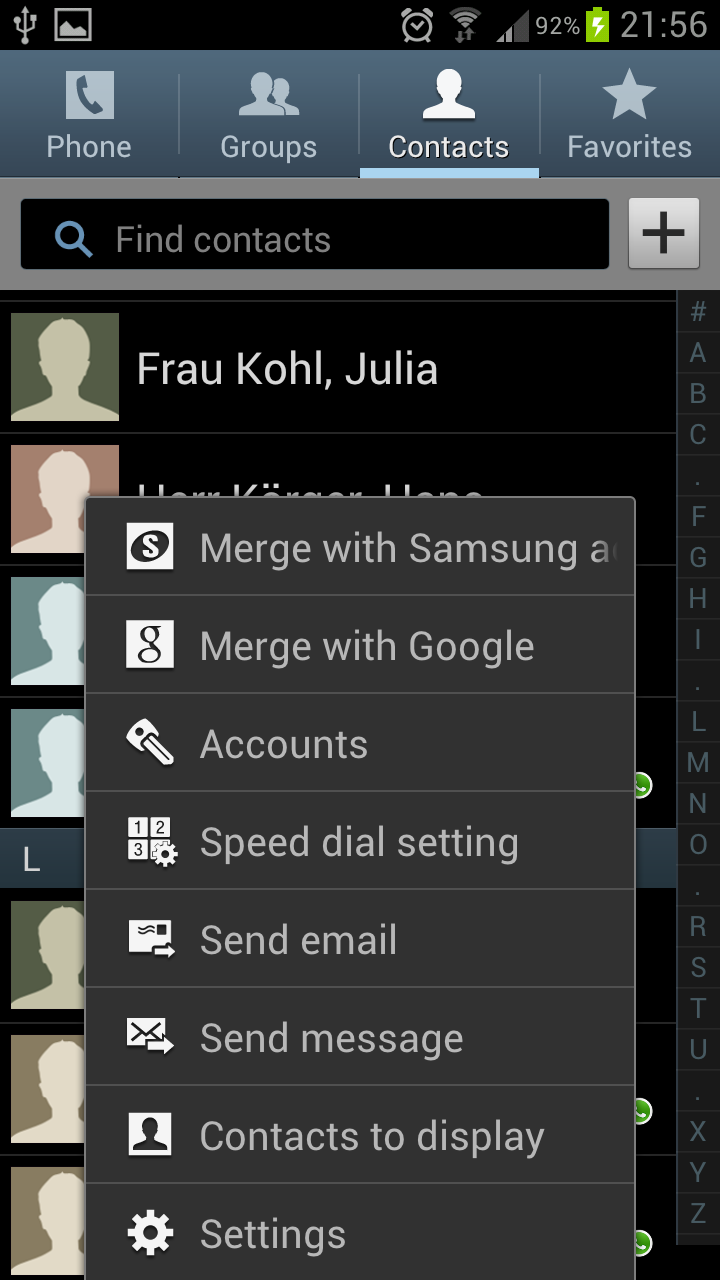
Jun 3rd, 2012 | 2 responses | inka | Google+ | Category: Samsung Galaxy S3, SmartphoneAfter I synchronized my Outlook contacts successfully I recognized that the contacts are listed by first name. To change this setting go to settings within the contact menu.
Afterward you can choose “List by last name” and “Display contacts by last name first”.
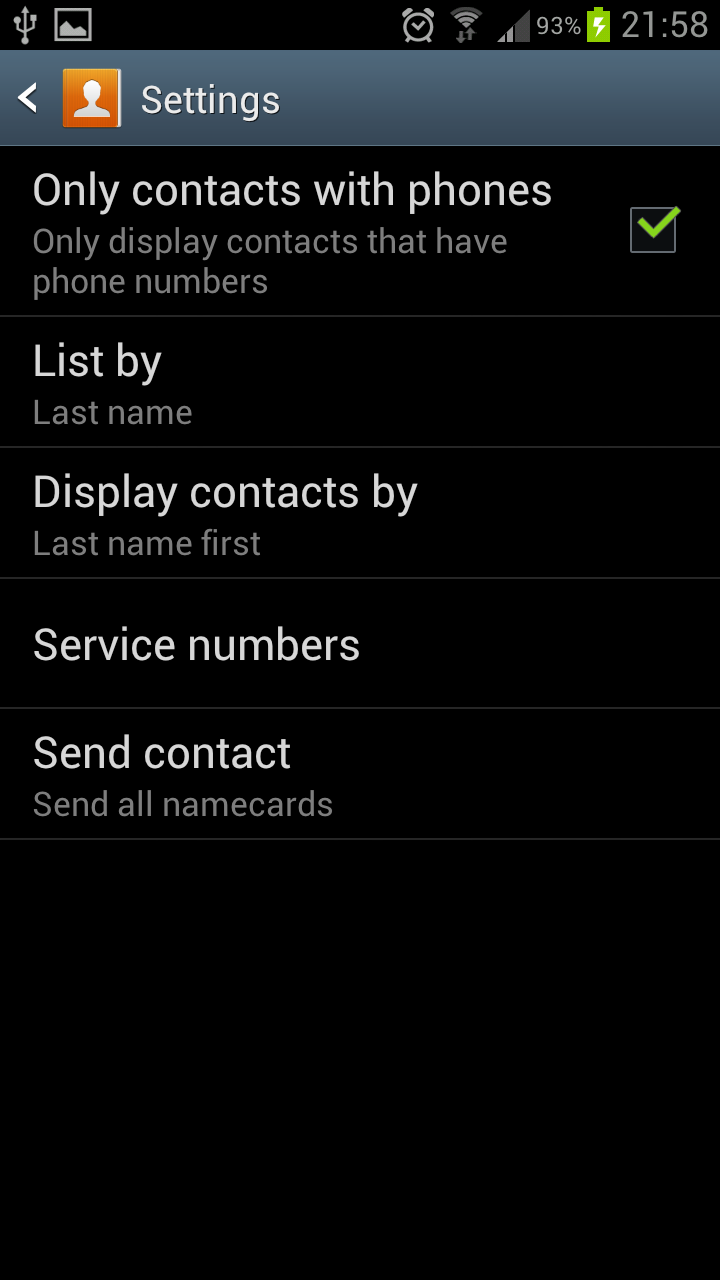
Anyhow I did not figure out how to hide the title (Mr. / Mrs) that I maintained in the Outlook contact details. If someone knows how I can hide the title in the Galaxy S3 contacts please let me know.
More from this category Samsung Galaxy S3 @en
- Samsung Galaxy S3 hide pictures, covers, videos in Gallery App
- Samsung Galaxy S3 – Jelly Bean update Android 4.1.1
- Transfer and sync music, photos and videos to Galaxy S3
- Samsung Galaxy S3 Kies sync with Outlook
- Sync Samsung Galaxy S3 with Outlook using MyPhoneExplorer
- Samsung Galaxy S3 – setup portable Wifi Hotspot and change password
- Samsung Galaxy S3 – deactivate auto update apps
- Samsung Galaxy S3 sync S Planner with Outlook To dos
- Samsung Galaxy S3 – Samsung Kies sync multiple Outlook calendars
- Samsung Galaxy S3 – Voice recorder 3GA file to mp3
More from this category Smartphone @en
- Samsung Galaxy Note 2 – HDTV Video Out
- Samsung Multimedia Smart Dock – EDD-S20JWEGSTA
- Samsung Galaxy Note 2 – paper cup docking station
- iPhone and Samsung Galaxy synchronization – Easy Phone Sync
- Samsung Galaxy Note 2 – setup portable Wifi Hotspot and change password
- Samsung Galaxy S3 hide pictures, covers, videos in Gallery App
- Samsung Galaxy S3 – Jelly Bean update Android 4.1.1
- Sync outlook contacts with Samsung Galaxy Note 2 using Samsung Kies
- Transfer and sync music, photos and videos to Galaxy S3
- Samsung Galaxy Note 2 – S Note with S Pan


RSS Feed
I tried to sort my contact in my galaxy s3 by first name..but why it didn’t work??it did work one time but it change again sort by last name..
I’d love to know how to hide the titles as well, as I don’t want to go through all my Outlook contacts and remove them all. That’ll be ridiculous.