Posts Tagged ‘
Android 4.0 ’
Oct 11th, 2012 |
By inka |
Google+
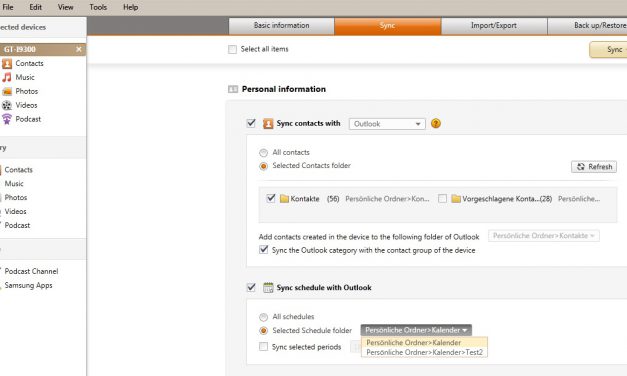
I use Samsung Kies to synchronize my outlook calendar, contacts and to dos with my Samsung Galaxy S3. First of all you have to install Samsung Kies on your PC. Samsung Kies can be downloaded from the official Samsung website here.  Afterwards I connected my SGS3 with the USB cable to my laptop and I opend Samsung
[continue reading...]
Posted in Samsung Galaxy S3, Smartphone, Top Story |
38 comments
Tags: Android 4.0, appointments, calendar, contact data, Kies, Outlook, Samsung Galaxy S3, Samsung Galaxy SIII, sync, To dos
Jul 1st, 2012 |
By inka |
Google+
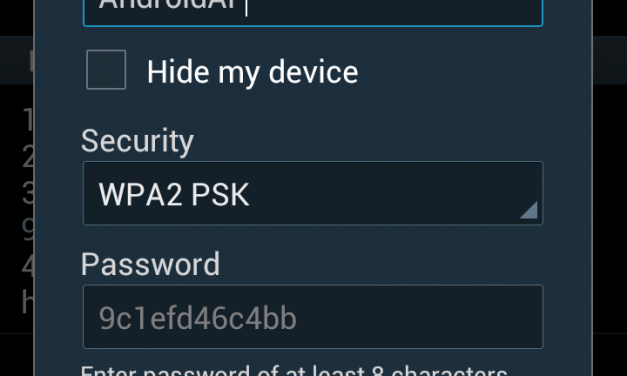
Here is a short description how to setup a portable Wifi hotspot on your Samsung Galaxy S3 and how the name and password of the portable Wi-Fi hotspot can be configured. Step 1: Go to settings / more settings Step 2: Choose Tethering and portable Hotspot Step 3: Activate “Portable Wi-Fi Hotspot” Step 4:
[continue reading...]
Posted in Samsung Galaxy S3, Smartphone |
No Comments »
Tags: Android 4.0, hotspot, name, password, portable hotspot, Samsung Galaxy S3, Samsung Galaxy SIII, setup, wifi network, YoutTube
Jun 17th, 2012 |
By inka |
Google+
I already synced my Outlook calendar and schedule successfully with my Samsung Galaxy S3 S Planner. Now I want to describe how to sync the Outlook to dos with the Samsung Galaxy S3 S Planner. Therefore I added the task “Blogyourearth.com” to my Outlook to dos, with high priority and starting tomorrow. Afterwards I opened
[continue reading...]
Posted in Samsung Galaxy S3, Smartphone, Top Story |
2 comments
Tags: Android 4.0, Kies, Outlook, S Planner, Samsung Galaxy S3, Samsung Galaxy SIII, sync, To dos
Jun 12th, 2012 |
By inka |
Google+
I already used Samsung Kies to sync my Outlook calendar. Now I want to describe how to sync multiple Outlook calendars with my Samsung Galaxy S3. Therefore I added a second Outlook calendar and created a test appointment on the 11th of June. Now I want to sync this calendar with my Samsung GAlaxy S3.
[continue reading...]
Posted in Samsung Galaxy S3, Smartphone |
3 comments
Tags: Android 4.0, calendar, multiple Outlook calendars, Outlook, Outlook calendar, Samsung Galaxy S3, Samsung Galaxy SIII, sync
Jun 3rd, 2012 |
By inka |
Google+
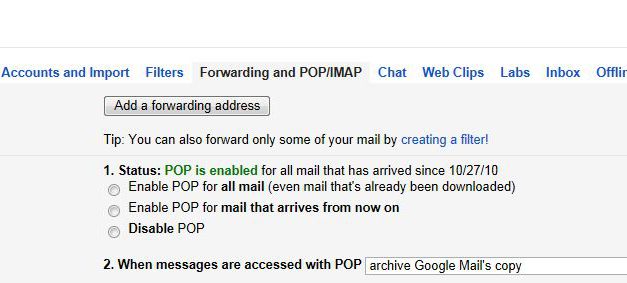
I only want to see new emails on my Samsung Galaxy S3. After I download an email via Outlook (POP)Â on my computer, I do not want to see them in my inbox of my SGS3 anymore. Therefore following settings have to be made: Login into your GMail webacount and go to settings on the top
[continue reading...]
Posted in Samsung Galaxy S3, Smartphone |
No Comments »
Tags: Android 4.0, archive, email, gmail, POP, Samsung Galaxy S3, Samsung Galaxy SIII
Jun 3rd, 2012 |
By inka |
Google+
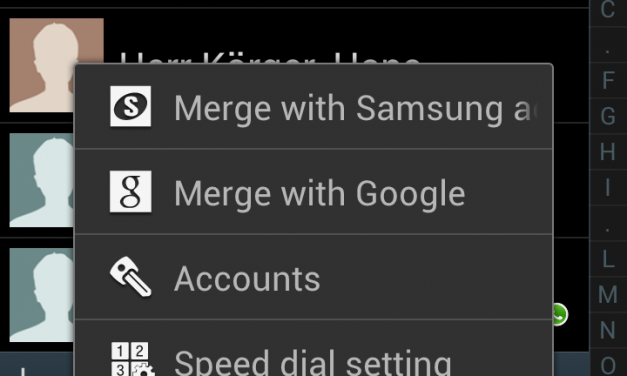
After I synchronized my Outlook contacts successfully I recognized that the contacts are listed by first name. To change this setting go to settings within the contact menu. Afterward you can choose “List by last name” and “Display contacts by last name first”. Anyhow I did not figure out how to hide the title (Mr.
[continue reading...]
Posted in Samsung Galaxy S3, Smartphone |
2 comments
Tags: Android 4.0, contact data, first name, last name, list by, Samsung Galaxy S3, Samsung Galaxy SIII, screen